TripleTalk AI creates your flashcards
Present with confidence
Paste your slides or speaking notes. You'll practise the words you need, so they don't slip away mid-sentence.
AI flashcards for language learning
Snap a textbook page or paste text. TripleTalk creates flashcards with translations, examples and pronunciation, then reminds you when to review them.
Available learning languages: English, German, Spanish, French, Italian, Polish, Ukrainian.
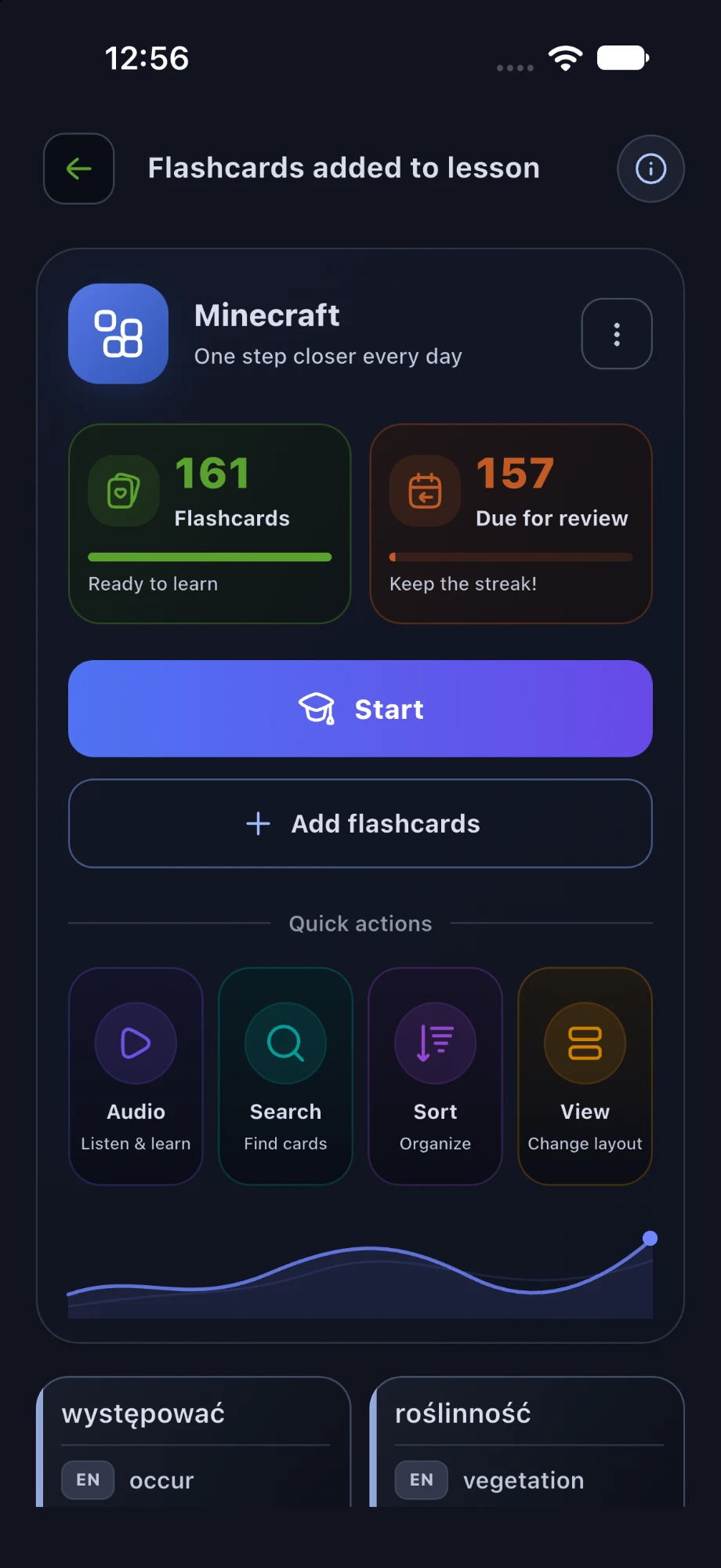
Your material. Your lesson.
Preparing a presentation, getting ready for a trip or studying for an exam? See which flashcards TripleTalk makes from your materials.
TripleTalk AI creates your flashcards
Paste your slides or speaking notes. You'll practise the words you need, so they don't slip away mid-sentence.
Why TripleTalk
Copying out words, looking up translations and keeping track of reviews take up most of your time. TripleTalk does all that for you, so you can simply learn.
Got words in a textbook, your notes or a restaurant menu? Snap a photo and tick the ones you want to learn. TripleTalk takes care of the rest.
No material of your own? Start with a ready-made flashcard set, for example travel words, verbs or vocabulary for IT meetings.
You don't always have time to sit down with your phone. Play a lesson like a podcast and review words on a walk, on your bike or during a workout.
Want to learn two languages at once? TripleTalk was made for exactly that. Review both languages in one session instead of making time for each separately.
You don't have to remember what to review and when. Our algorithm takes care of it and brings each word back just as you're starting to forget it.
You hear every word in a natural voice and see it in a real sentence. That way you'll remember it more easily and use it in conversation.
How it works
You don't have to copy anything out or look things up in a dictionary. You can have your first flashcards ready in a few minutes.
Snap a textbook page, paste some text or type a word you want to learn.
A moment later every word has a translation, an example sentence and a pronunciation recording.
A short session over coffee or an audio lesson on a walk. TripleTalk shows you what's worth reviewing.
App preview
This is what learning with TripleTalk looks like. Only a few moments separate a photo of any text from your first review.
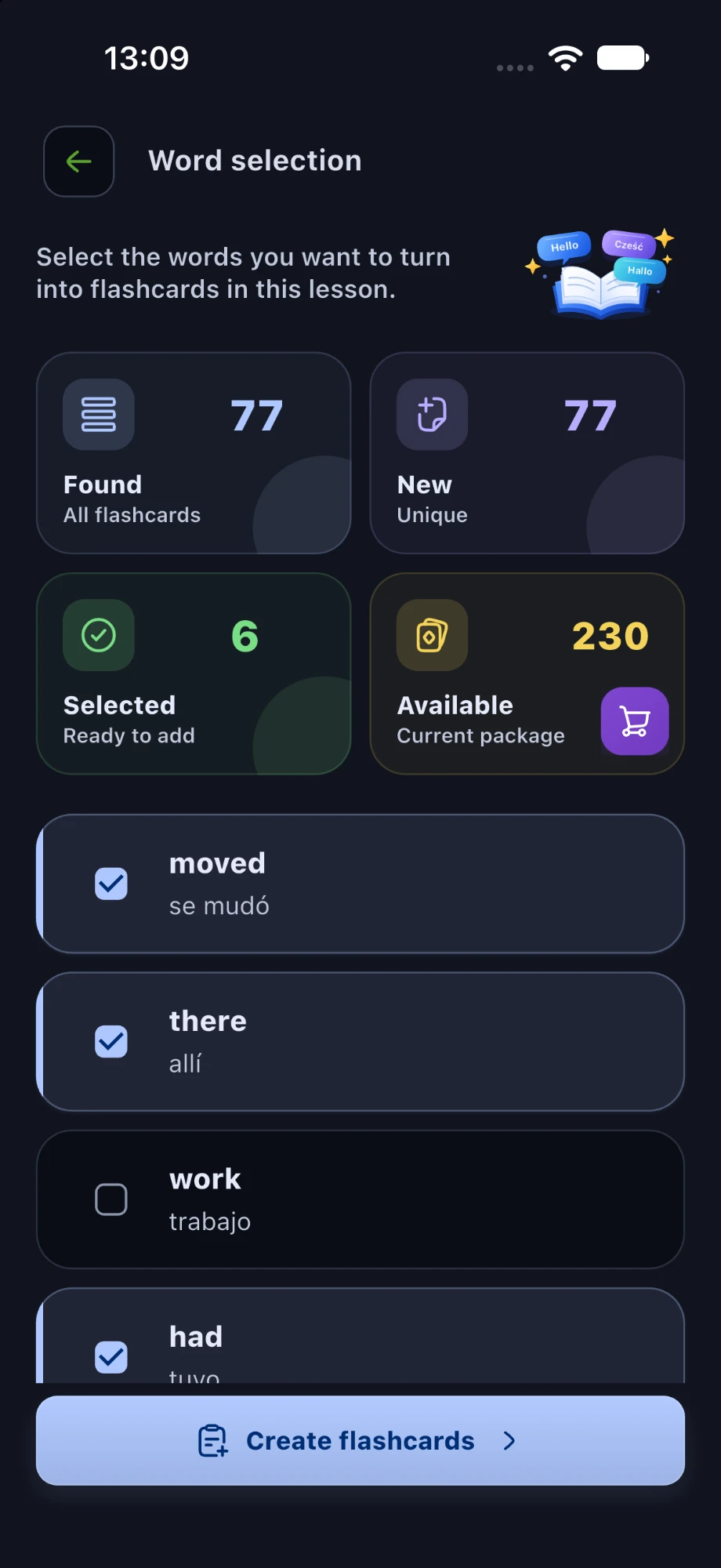
TripleTalk AI finds the words in your text, and you tick the ones you want to learn.
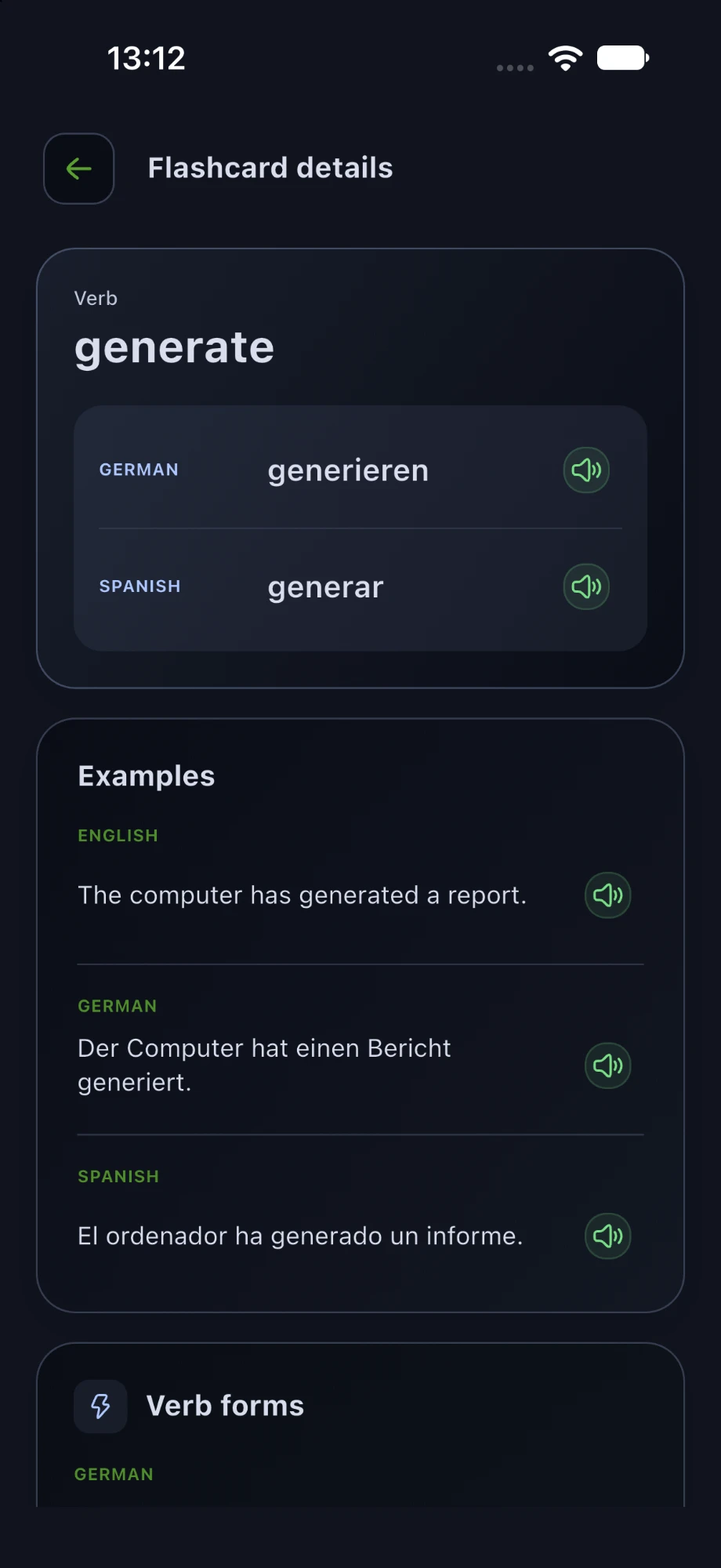
Translations, example sentences and pronunciation in the languages you choose.
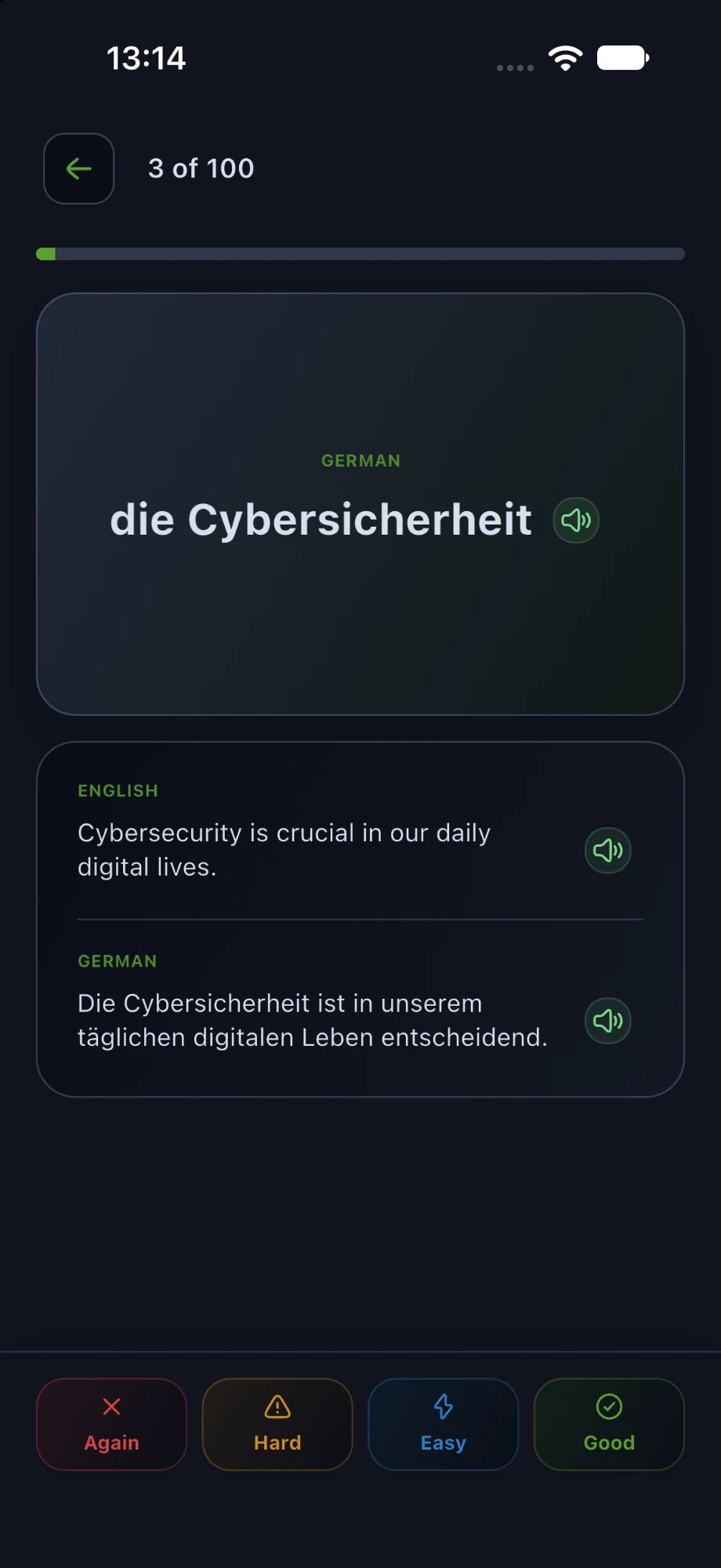
Rate how well you remember a word, and the app schedules the next review for you.
For teachers
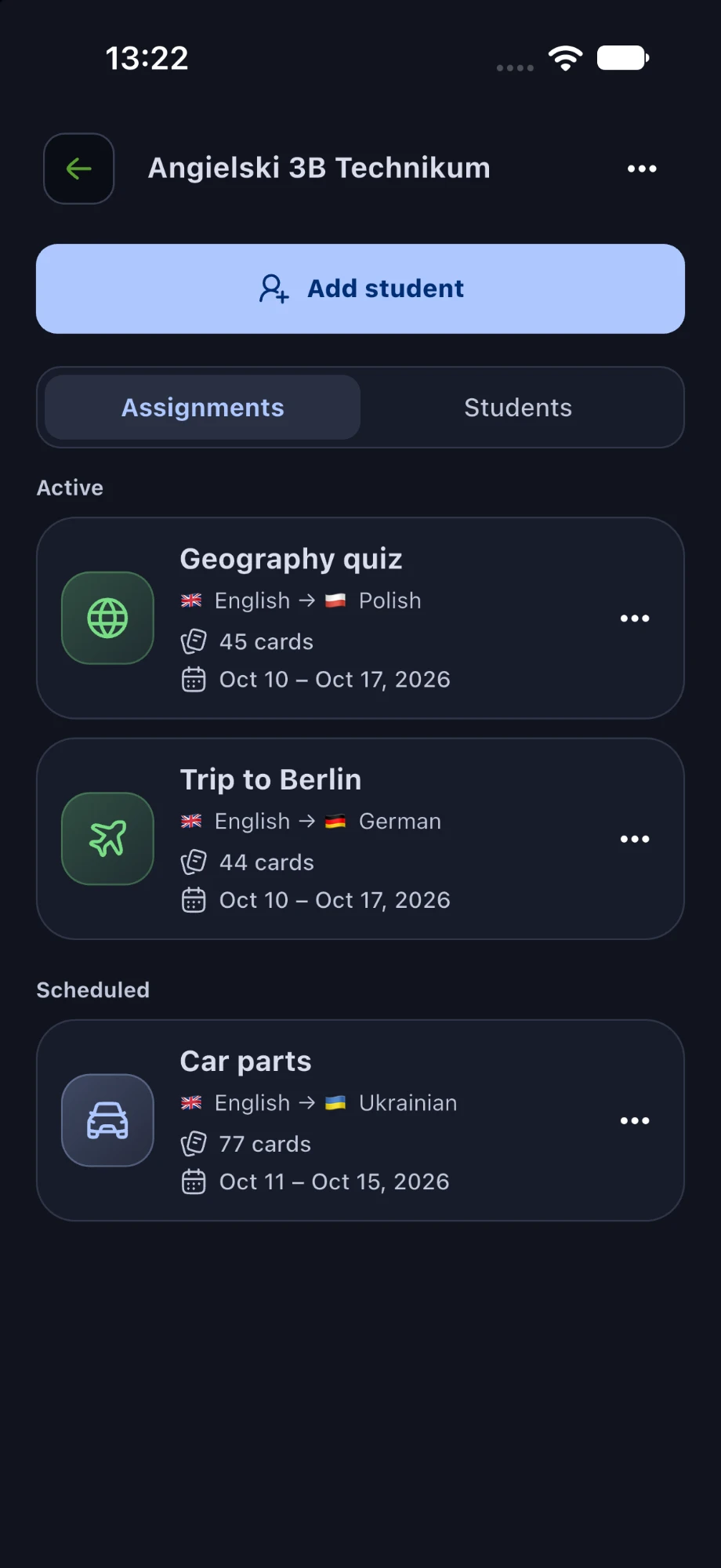
Do you teach at a school, give private lessons or run language courses? In the School tab you prepare lessons for your students, and they learn from them on their own phones whenever they like.
Questions
Yes. On a free account you create your own lessons, learn one language, and use reviews and free collections. You also get a set of AI flashcards and a Premium trial as a welcome gift.
TripleTalk AI prepares them. You can review and edit every flashcard, and tailor example sentences to your interests.
Yes. Sign in to the same account, and your lessons, progress and settings are the same on your phone and tablet.
They're used only to prepare flashcards. We delete them together with the lesson or your account.
Write to us, we're happy to help.
Download
Download TripleTalk for free and make your first flashcards from your own material today.